AuthorsDrop vs Microsoft Word: Which Is Better for Writing Books?
A clear comparison of AuthorsDrop and Microsoft Word for novelists, screenwriters, playwrights, non-fiction authors and students working on long-form writing projects.
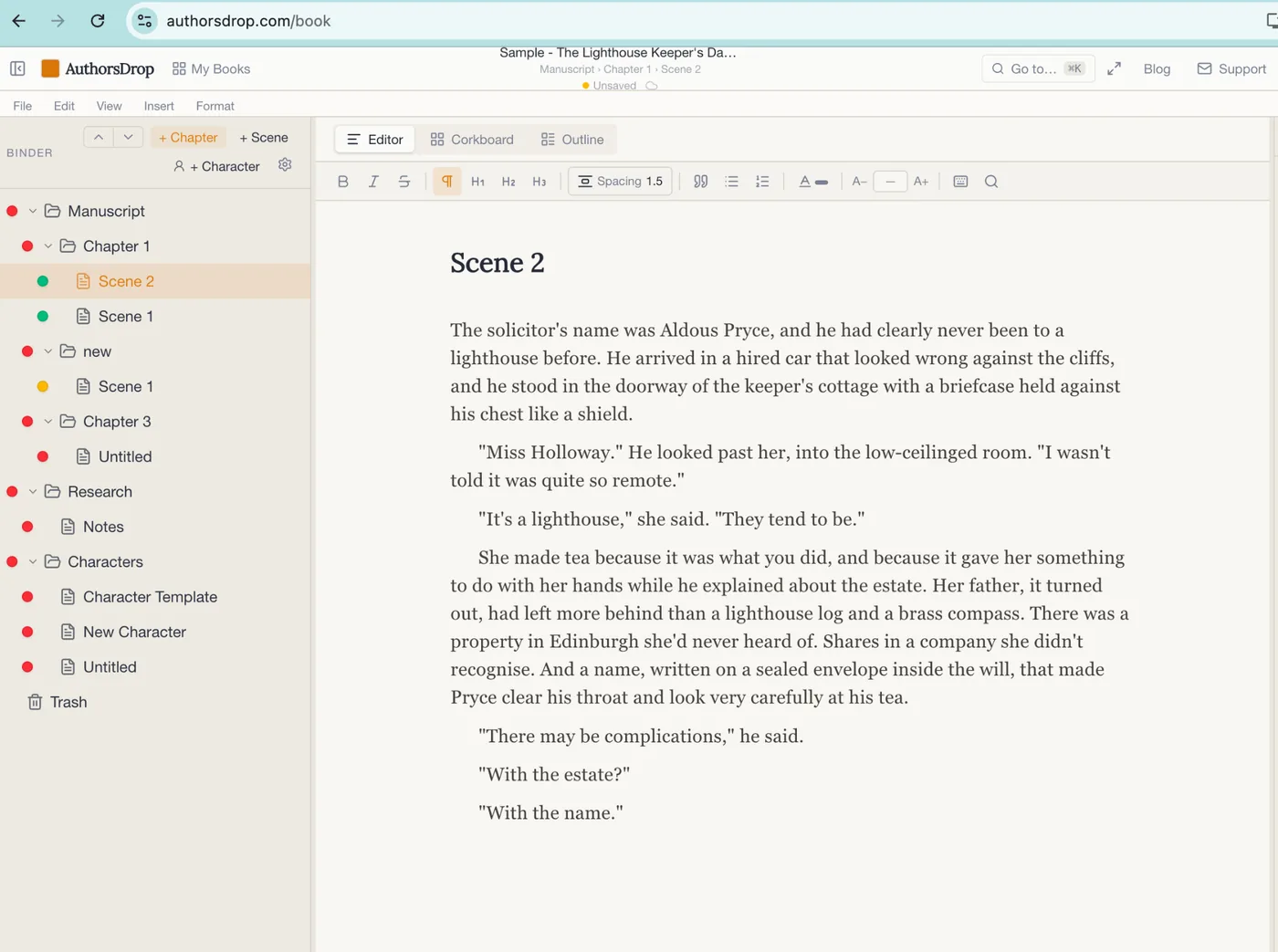
Microsoft Word is one of the most familiar writing applications in the world. It is polished, powerful and trusted by businesses, universities and writers everywhere. Many excellent books have been written in Word, and no serious comparison should pretend otherwise.
The real question is not whether Microsoft Word is good. It is. The question is whether it was designed for the kind of long-form writing that authors actually do.
A novel, screenplay, stage play, dissertation or non-fiction book is not merely a long document. It is a project made of chapters, scenes, research, notes, characters, structure, revisions and decisions. That is where AuthorsDrop begins from a different place. Word gives you a superb document editor. AuthorsDrop gives you a writing workspace.
Quick comparison
| Feature | AuthorsDrop | Microsoft Word |
|---|---|---|
| Built specifically for authors | Yes | No |
| Novel writing | Yes | Yes |
| Screenplay writing | Yes | Possible with templates or manual formatting |
| Stage play writing | Yes | Possible with manual formatting |
| Chapter and scene structure | Built in | Mostly manual |
| Binder navigation | Built in | No equivalent |
| Corkboard planning | Built in | No equivalent |
| Outline view | Built in | Limited document outlining |
| Scene synopsis and notes | Built in | Manual workaround |
| Character records | Built in | Separate files or notes |
| Research folders | Built in | Separate files or folders |
| Word goals and status labels | Built in | Manual workaround |
| Export to Word | Yes | Native format |
| Export to PDF | Yes | Yes |
| Pricing approach | One-time access after trial | Microsoft pricing varies by plan and licence |
Microsoft Word remains an excellent word processor
There is a reason Microsoft Word has lasted so long. It is reliable, widely understood and extremely good at producing professional documents. If you are writing a letter, report, proposal, essay, set of meeting notes or a short manuscript, Word may be exactly what you need.
It also has one enormous advantage: almost everyone knows what a Word file is. Editors, schools, businesses and publishers can open DOCX files without explanation. For collaboration and general document exchange, that matters.
Where Word begins to feel less comfortable is not on page one. It is much later, when the work has become a book and the author is no longer only writing sentences. They are managing structure.
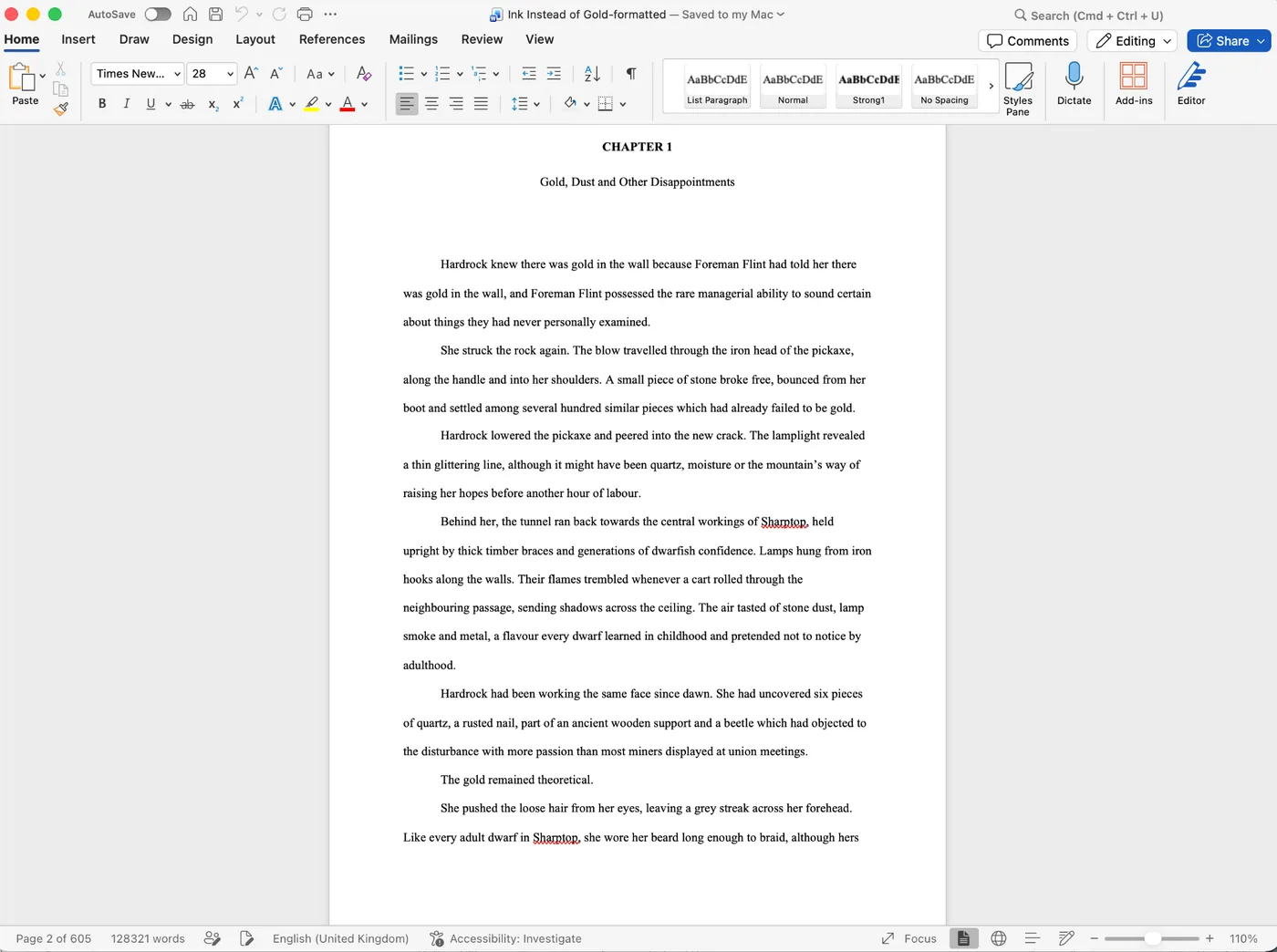
A 600-page manuscript in Word can certainly be edited. It can be formatted. It can be printed. But it is still one very large document. Moving around it depends on headings, search, careful scrolling and the writer’s own filing discipline. Research usually lives somewhere else. Character notes live somewhere else. Scene planning often lives in a notebook, spreadsheet or separate document.
That does not make Word wrong. It simply means Word remains a document tool, while many authors eventually need a project tool.
AuthorsDrop treats the book as a project
AuthorsDrop starts with the assumption that long-form writing has parts. A chapter is not just a heading inside one document. A scene is not just a paragraph halfway down a page. Research is not an afterthought stored in another folder. Characters are not scraps of memory you hope to keep straight for the next six months.
Inside AuthorsDrop, the manuscript is organised through the Binder. Chapters, scenes, research and character folders sit together, so the author can move through the work without hunting through a maze of files.
This difference becomes especially important during editing. A first draft is usually written forwards. A second draft is rarely that tidy. Scenes move. Chapters split. A character introduced in chapter three suddenly needs to appear earlier. Research gathered weeks ago needs to be checked again. AuthorsDrop is designed around that reality.
Writing scene by scene is different from scrolling page by page
Most authors do not think of a novel as page 137 to page 144. They think of the scene where the solicitor arrives, the scene where the secret is revealed, or the chapter where the protagonist finally leaves home.
AuthorsDrop lets those pieces exist as separate scenes while keeping them inside the complete manuscript. That means a writer can focus on one scene without losing sight of the wider project. It also means structural editing becomes less frightening, because moving a scene does not involve cutting a large block of text from one place and hoping it lands correctly somewhere else.
Word can imitate some of this with headings and the navigation pane, but it is still working inside the logic of a single document. AuthorsDrop works inside the logic of a manuscript.
Planning tools live beside the writing
A long-form project often carries more information than the final manuscript will ever show. A scene may need a reminder about what has just happened, what needs to change, whether it is finished, or how many words it should reach.
AuthorsDrop gives each scene its own planning space, including synopsis, notes, status, labels and word goals. The purpose is not to force every writer into heavy planning. It is to keep useful information close enough that it does not disappear.
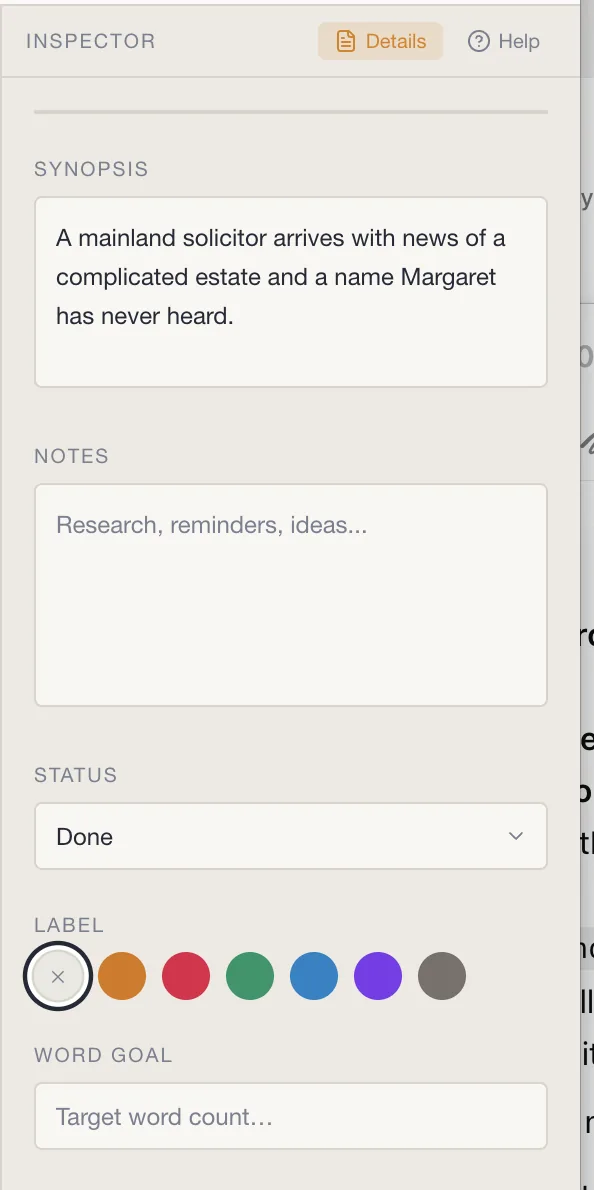
This is especially useful for writers who return to a project after several days away. Instead of rereading half a chapter to remember what a scene is meant to do, the synopsis and notes can bring the writer back quickly.
Research and characters stay inside the project
Many books fail quietly because the writing becomes scattered. The manuscript is in one place, the research is in another, the character notes are in a third and the best idea the author had last week is somewhere in a document called notes-final-new-2.
AuthorsDrop reduces that friction by keeping the supporting material inside the same project. Research folders and character records do not replace the manuscript. They sit beside it, ready when needed.
For fiction writers, this helps maintain continuity. For non-fiction writers, it helps keep sources and ideas organised. For students and dissertation writers, it keeps the project from becoming a collection of disconnected fragments.
Screenplays and stage plays are where the gap widens
Microsoft Word can be used to write almost anything, but that does not mean it understands what you are writing. A screenplay has scene headings, action, character names, dialogue and transitions. A stage play has its own conventions and rhythm. Word can be made to handle these formats through templates, styles and manual adjustment, but it does not begin with that structure in mind.
AuthorsDrop does. It is built for novels, screenplays, stage plays, non-fiction and dissertations. That matters because the software is not merely giving you a blank page. It is giving you the correct kind of workspace for the project you are creating.
Word is still useful at the end of the process
Choosing AuthorsDrop does not mean abandoning Word entirely. In many professional workflows, Word remains useful for editing, sharing and final collaboration. That is why export matters.
A sensible workflow might look like this:
- Plan and write the project in AuthorsDrop.
- Keep chapters, scenes, research and characters organised in one place.
- Export when the manuscript is ready for editors, proof-readers or publishers.
- Share a Word or PDF file when that is the format other people expect.
This is not a battle between two applications where one must destroy the other. It is about using the right tool at the right stage.
Who should choose Microsoft Word?
Microsoft Word remains the right choice for many people. If you mainly write letters, reports, business documents, short essays or material that must be shared constantly with colleagues, Word is hard to beat. It is also a sensible choice if you already know it well and your projects remain short enough that organisation is not a problem.
For general document creation, Word is still one of the best tools available.
Who should choose AuthorsDrop?
AuthorsDrop is the stronger choice when the writing project has structure. If you are writing a novel, memoir, non-fiction book, screenplay, stage play or dissertation, you are not just writing words. You are building something with parts that need to be planned, moved, checked and completed.
That is the work AuthorsDrop was designed to support.
Final verdict
Microsoft Word gives writers an outstanding blank page. AuthorsDrop gives writers a complete writing workspace.
For short documents, Word remains excellent. For books and scripts, the limitations begin to show not because Word is weak, but because it was built for a different job.
If your writing is mainly a document, use Word. If your writing is a long-form project with chapters, scenes, research, characters, planning and revision, AuthorsDrop gives you tools designed around the way authors actually work.
Frequently asked questions
Can I write a novel in Microsoft Word?
Yes. Many writers have written complete novels in Microsoft Word. The difficulty usually appears later, when the project becomes large and the writer must organise chapters, scenes, research, notes and revisions across one very long document or several separate files.
Can AuthorsDrop export to Microsoft Word?
Yes. AuthorsDrop is designed to let writers organise and write long-form projects inside AuthorsDrop, then export when they need to share work with editors, proof-readers, publishers or readers who prefer Word files.
Is AuthorsDrop only for novelists?
No. AuthorsDrop is built for novels, non-fiction books, screenplays, stage plays, dissertations and other long-form projects where structure matters as much as the words on the page.
Which is easier to start using?
Microsoft Word is familiar to most people, so it is easy to open and begin typing. AuthorsDrop is designed for writers who want more structure from the start, including chapters, scenes, research, character notes, planning tools and export options.